Building a Budget App as a Solo Developer
Most budgeting apps treat money like a game you need to win.
Points for saving. Streaks for logging. Badges for being responsible with your own finances, as if adulthood needed another leaderboard.
I get why it exists. Gamification works for engagement. It makes people open the app more often. It creates a sense of progress even when the numbers are moving slowly. For some people, that is exactly what they need.
I am not one of those people.
PiggyPulse was not born from a desire to build a budgeting app. It was born from a simple frustration: I could not find one that fit.
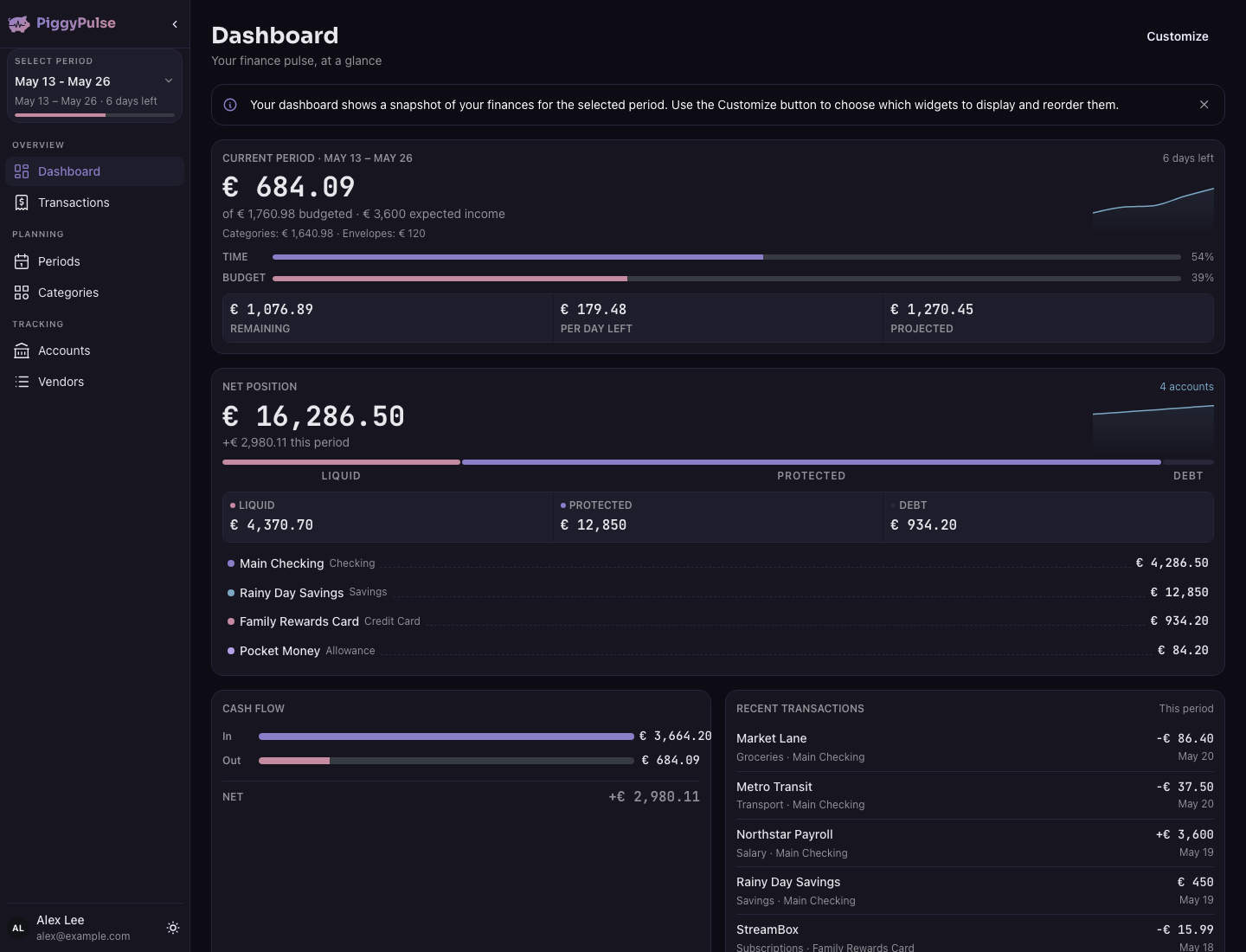
The problem: payday on the 25th
I get paid on the 25th of every month. If the 25th falls on a Saturday, I get paid on Friday. If it is a Sunday, I get paid on Monday. This is not unusual for European payroll cycles, but most budgeting apps assume your money arrives on the 1st.
Month-based budgets do not work when your month starts on the 25th. And every app I tried wanted me to either adapt to the calendar or accept some half-baked custom period that felt like an afterthought.
That was the first gap.
The second was the gamification. I do not want a tiny digital cheerleader judging my spending habits. I do not need a badge for not buying coffee. I want to see where my money goes without feeling like I am being scolded or rewarded for normal financial decisions.
I searched for an app that could handle custom budget periods without turning budgeting into a personality competition. I did not find one.
So I decided to build it myself.
Why Rust, not the obvious choice
I had wanted to learn Rust for a long time. Not because it was trendy, but because the product I had in mind needed to be stable and secure. A budgeting app handles financial data. If I was going to ask people to trust their spending records to something I built, I wanted the foundation to be solid.
Rust matched that requirement. No garbage collector. No runtime surprises. Memory safety guaranteed at compile time. For a solo developer who cannot afford to chase segfaults at 2 AM, that is a meaningful advantage.
The first version of the API was built with Rocket. It did not have authentication yet, that came later. but it could handle requests and return data. I already knew I would use Argon2 for password hashing once I added auth. That was not a guess. My master’s thesis was in password hashing schemes (PHS). Some things stick with you.
The world’s ugliest functional web app
Once the API was minimally viable, I needed a frontend.
I knew what I wanted the app to do. I knew how web apps work. But I design things as an engineer, and the first web version looked exactly like what an engineer builds without a designer in the room.
It worked. It had the functionality I needed. It had an app shell, menus, light and dark theme. All using Mantine components. But it was crude. Everything was in the right place and nothing looked like it belonged there.
That was fine. I was building for myself first. Polish could come later.
AI agents designing my logo
At some point, I realised this thing was actually coming together. I had a working API, a functional web app, and a clear idea of what I wanted it to do. That was the moment I decided to stop building a personal tool and start building a real product.
That shift changed how I worked. I started bringing AI into the process — not as a code generator, but as a sparring partner.
We discussed features together, like two product managers in a room. I had opinions. AI had suggestions. Back and forth until the feature list made sense. Then I switched to designer mode, and AI became my design critic. We went through mock-ups in Figma, different versions, different aesthetics, until we landed on something that felt right.
The app was still called something like “budgeting-app” and “budgeting-api” at that point. So the next step was a proper name and logo.
I wanted something light. No charts, no graphs, no targets in the branding. Just something that brought a little warmth to the budgeting scenario. We landed on a piggy bank. Simple, recognisable, connected to finance without feeling corporate.
But the app was built around data. Dashboards, trends, spending checks. A pulse check on your finances.
A piggy bank with a pulse check.
PiggyPulse wrote itself after that.
The name that accidentally worked
The name was not arrived at through market research or A/B testing. It was the result of a long conversation between me and AI about what the app felt like. The piggy bank represented lightness. The pulse represented awareness. Put them together and you get a budgeting app that checks in without judging.
That is still the core idea behind PiggyPulse. It is a calm budgeting app. It is not here to optimise your life. It is here to help you notice what is happening with your money.
iOS shipped, Android blocked by a phone
With the API and web app in place, I set my sights on mobile. I wanted native apps — iOS and Android.
I had never built an iOS or Android app before. I had no idea what I was doing. So I learned both development flows with AI holding my hand through every step. By this point, I had also moved the API from v1 to v2 to make it easier to support multiple clients with a consistent flow.
The iOS app made it to the App Store. That was a major milestone. A solo developer, a Rust backend, a Mantine web app, and an actual iOS app in the store.
The Android app did not go further. Not because I could not build it. I needed a physical Android device to activate my Google Play developer account, and I simply did not have one. That was the blocker. One piece of hardware standing between the app and the Play Store.
Encrypting the data, translating the experience
The last big feature I wanted was encryption-at-rest. If someone is going to store their financial records in my app, those records should not be readable if the database is compromised.
That migration was complex. The entire flow had to change to support client-side encryption while keeping the app functional. Again, AI agents helped plan and execute it.
Then came translations. The app was in English, but I wanted it to reach people in their own languages. I am fluent in English and Portuguese, but the other languages — Spanish, French, Dutch, German — were outside my ability. AI handled the translations. The result was a multilingual app built by someone who only speaks two of the languages it supports.
Multiple agents, one builder
One thing I did not expect was how much I would rely on AI agents reviewing each other’s work.
One agent would write code. Another would review it. They would go back and forth until they agreed on a solution. I would do the final review before merging, but the first passes were handled by the agents themselves. It felt like having a small team without the payroll.
This is worth being honest about: I wrote every line of code in the early stages. Every single one. But once the foundation was solid and the scope grew, AI became the engine that made solo development sustainable.
Available to anyone
PiggyPulse is open source. The whole project — API, web app, iOS app, docs — lives on GitHub at github.com/leocalm/piggy-pulse.
This was not an automatic choice. There is something uncomfortable about publishing your code when you are a solo developer. Every rushed commit, every imperfect abstraction, every decision that made sense at 1 AM is out there for anyone to inspect.
I chose open source for three reasons.
First, transparency. If I am asking people to trust their financial data to this app, they should be able to see exactly how it works. The encryption scheme. The API contracts. The database queries. Nothing hidden.
Second, community. Security review and feature ideas benefit from diverse perspectives. Open source makes that possible without needing a full-time team.
And third, building in the open keeps me honest. When you know other people can read your code, you write better code. You document more. You think twice before cutting a corner.
It is github.com/leocalm/piggy-pulse. If you want to see a Rust API built with Rocket, the React frontend, how the encryption-at-rest works under the hood, or just read the commit history of a project that started as a personal frustration — it is all there.
None of this was a straight line
Looking back, the path to a shipped PiggyPulse was messy. It started with a personal frustration about payday cycles. It went through a Rust API with no auth, a web app that looked like it was drawn by an engineer, an AI-guided design phase, a naming session that took longer than building the first prototype, an iOS launch, an Android blocker, an encryption migration, and five language translations.
None of it was planned end-to-end. Each step emerged from the previous one.
That is the honest version of building a product alone. You do not follow a roadmap. You follow the next interesting problem. Some problems are technical. Some are design decisions. Some are just needing a phone you do not own.
But the result is an app that does exactly what I needed it to do. No gamification. No judgement. Just a place to track your money at your own pace, on your own schedule.
PiggyPulse exists because none of the existing apps fit. And sometimes, when nothing fits, you build your own.
That is enough.