Product

Why PiggyPulse Custom budget periods Budget by paycheck Manual expense tracker Calm budgeting app No-ads finance app Budget app for expats No bank connection Private budget app Web and iOS

Resources

Blog Support Privacy Policy

Language

Appearance

Open Web App

Budget around payday, not just the calendar

PiggyPulse helps you create custom budget periods so you can plan around weekly pay, biweekly pay, monthly income, or any rhythm that fits your real life.

Free for now. No credit card required.

Your period, your rhythm

  • Weekly, biweekly, monthly, or custom periods
  • Manual income and expense tracking
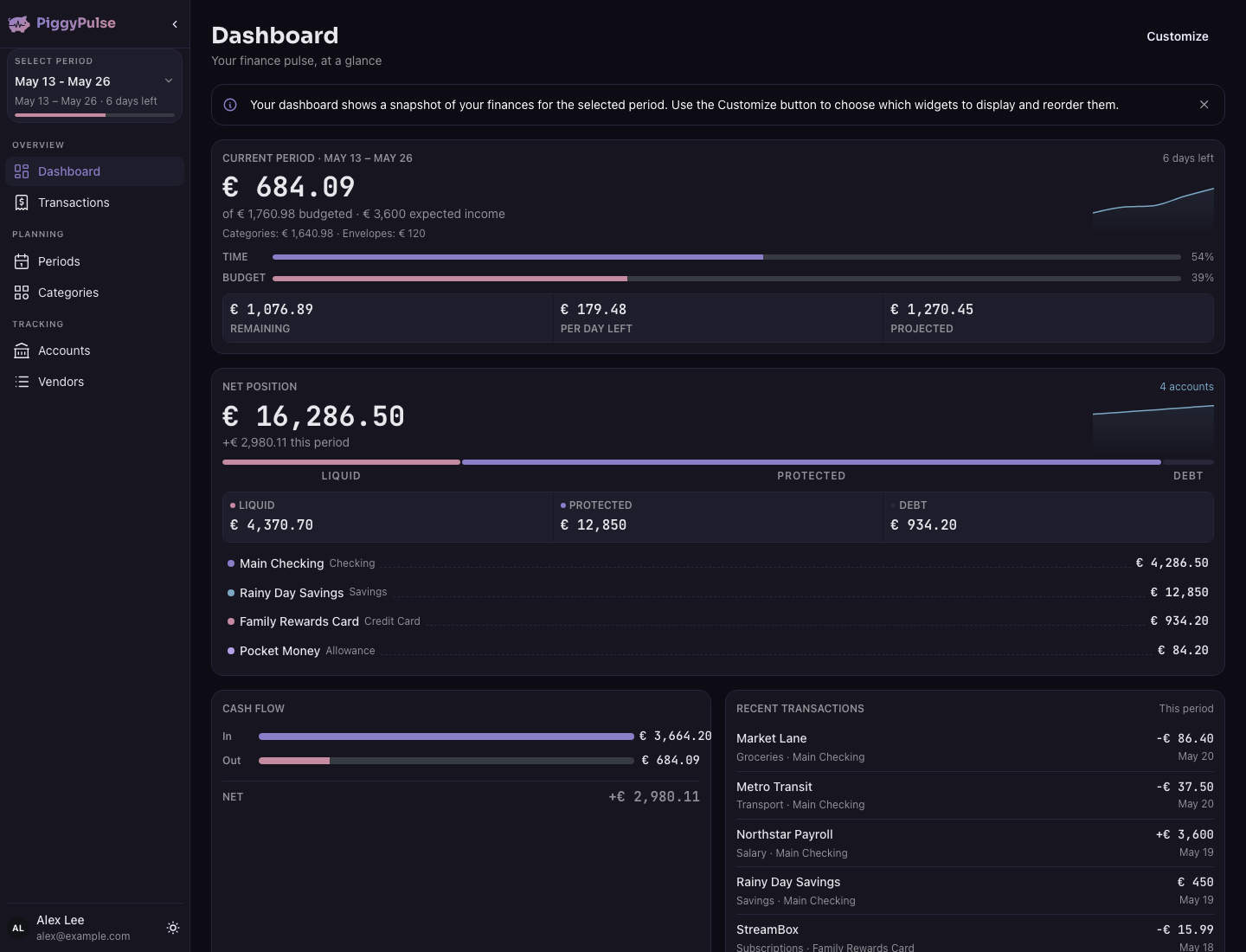
  • A current-period view of what changed
  • No financial advice or pressure

Custom budget periods

Create budget periods around the dates that matter to you, instead of forcing every plan into a calendar month.

Weekly or biweekly friendly

Use PiggyPulse whether you get paid weekly, every two weeks, monthly, or on a less predictable schedule.

Manual tracking

Add income and expenses yourself so you stay aware of what changed between paychecks.

Calm check-ins

Review your current period without streaks, badges, guilt, or pressure.

PiggyPulse product preview for this budgeting workflow

Monthly budgets can feel awkward when life happens between paychecks

A lot of budgeting advice assumes your money fits neatly into one calendar month. Real life is messier.

You might get paid every week, every two weeks, twice a month, once a month, or irregularly. Bills may land before your next payday. Some expenses happen at the start of the month, others at the end. A monthly view can hide the timing problem.

PiggyPulse is built around budget periods, so you can plan around the money you actually have for the period you are actually living through.

Create a budget period for the money you have now

Instead of starting with a fixed monthly template, PiggyPulse lets you work with budget periods. A period can match your paycheck cycle, your bill cycle, or any window of time that makes sense for you.

1

Choose your period

Create a budget period for this week, the next two weeks, the month, or your own custom date range.

2

Add income and expenses

Record what came in, what went out, and what you still need to cover before the period ends.

3

Review what is available

Use your current period to understand what changed and what you can safely spend.

Budget periods that match real pay schedules

PiggyPulse does not force one budgeting rhythm on everyone. You can create periods that match the way money actually arrives and leaves.

Weekly paycheck

Create one budget period per week and check what is available until the next payday.

Biweekly paycheck

Create a two-week budget period so bills, groceries, and everyday spending stay connected to your pay cycle.

Twice-monthly income

Split the month into two periods if your income arrives on fixed dates, such as the 1st and 15th.

Irregular income

Create custom periods when your income does not follow a predictable monthly pattern.

Made for people whose money does not move on a perfect monthly schedule

PiggyPulse is a good fit if you want your budget to match your actual payday rhythm instead of an idealized calendar.

  • You get paid weekly or biweekly.
  • You want to budget between paychecks.
  • You need custom date ranges for budget periods.
  • You prefer manual tracking over automatic bank imports.
  • You want a calm budgeting app without ads or guilt.
  • You want to understand what is available right now.

Good to know PiggyPulse helps you organize and review your budget. It does not give financial advice or automatically decide how you should spend your money.

Budgeting tools for the space between paychecks

PiggyPulse gives you a simple structure for tracking money across the budget period you are in right now.

Custom budget periods

Create weekly, biweekly, monthly, or custom periods that match your income and bills.

Manual transactions

Add spending and income yourself so each update becomes a small money check-in.

Account overview

Track what is available across the accounts or categories you care about.

Private and calm

PiggyPulse has no bank connection, no ads, no tracking, and no guilt-based design.

Choose the page that matches the real concern

If your main concern is bank access or broader privacy, these pages explain those choices directly.

Read the private budget app overview

Read the no-bank-connection overview

Budget by paycheck FAQ

Can I budget by paycheck in PiggyPulse?

Yes. PiggyPulse lets you create custom budget periods, so you can budget around weekly pay, biweekly pay, monthly income, or your own custom schedule.

Is PiggyPulse only for monthly budgets?

No. PiggyPulse supports custom budget periods, so you are not limited to calendar-month budgeting.

Can I use PiggyPulse for biweekly budgeting?

Yes. You can create two-week budget periods that match a biweekly paycheck schedule.

Can I use PiggyPulse if my income is irregular?

Yes. You can create custom budget periods when your income does not follow a predictable monthly pattern.

Does PiggyPulse connect to my bank?

No. PiggyPulse is manual-first and does not connect directly to your bank or ask for your online banking credentials.

Is PiggyPulse free?

Yes. PiggyPulse is free for now.

Can I use PiggyPulse on web and iPhone?

Yes. PiggyPulse is available as a web app and an iOS app.

Start budgeting around your next paycheck

Create custom budget periods, track transactions manually, and understand what is available without forcing your money into a calendar-month template.

Free for now. No credit card required.